A recorder and login per site
Every location ends up with its own system, so regional and central teams can't see across them.
Multi-Site Businesses
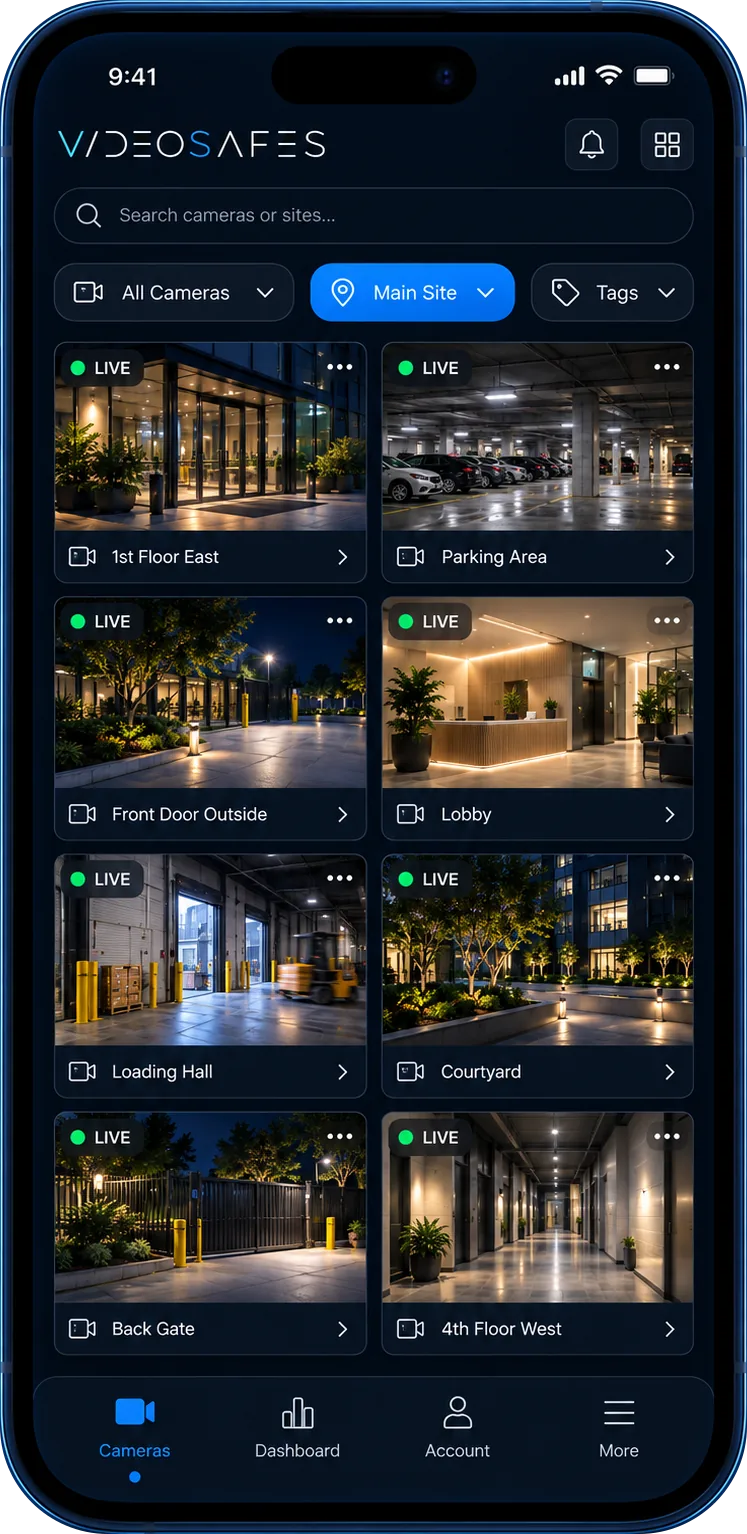
For businesses with locations in many places: see all your sites at once, drill into any camera, and give each manager access to the locations they run, without replacing the cameras at each site.
Industry overview
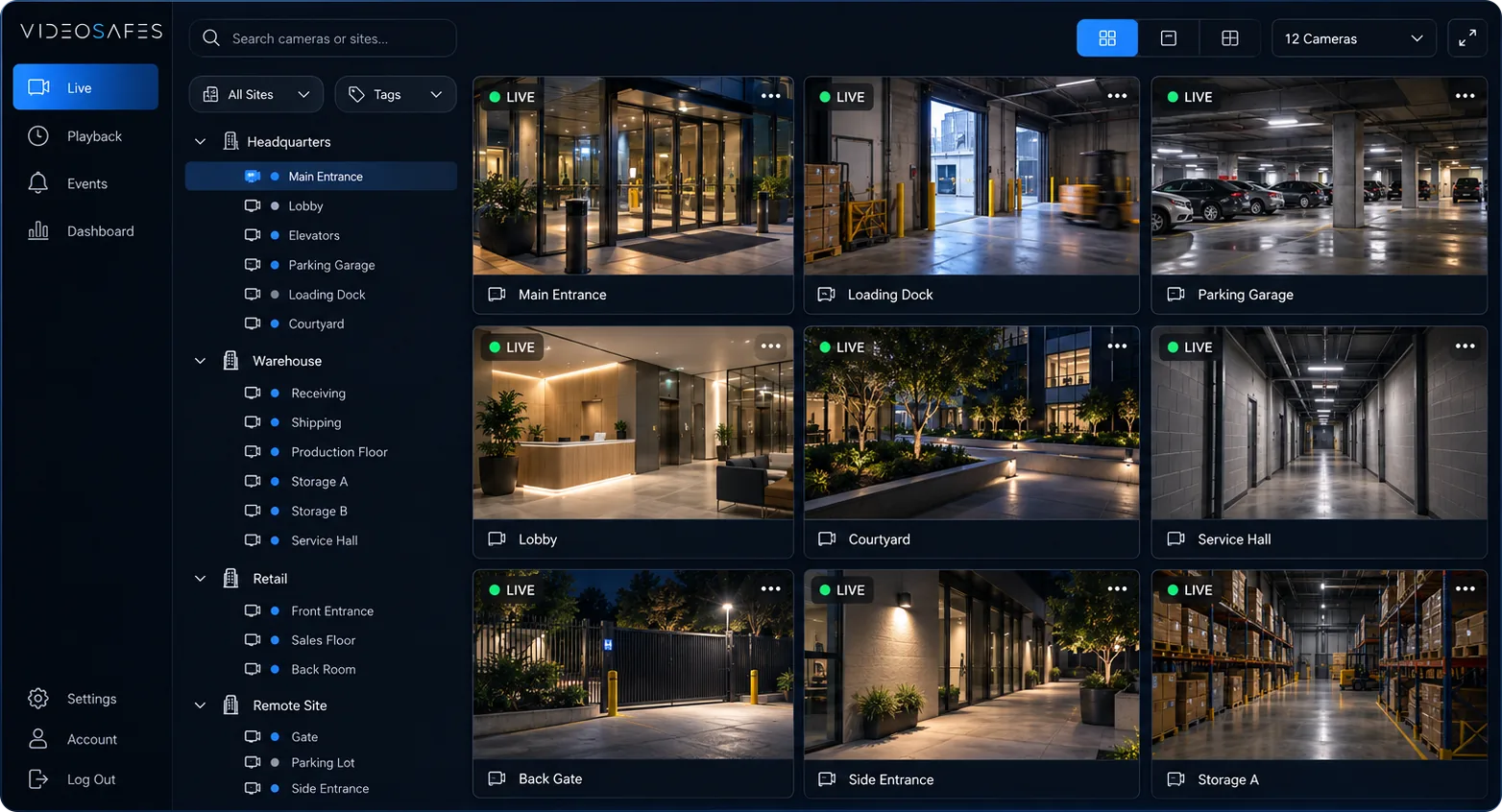
Businesses with many locations usually end up with a different recorder and login at each one. VideoSafes brings every site and camera into one account, so central and regional teams can see across the business.
Keep the cameras at each location, choose saved-video settings per site, and roll out at the pace that suits you.
Bring to your demo
Problems we solve
Every location ends up with its own system, so regional and central teams can't see across them.
Sites opened or acquired at different times often have different cameras that don't work together.
New sites open, others close, and managers move. Access and coverage need to keep up.
Use cases

Start from all locations, then drill into the exact site and camera you need.

Bring different camera brands into one app so every site works the same way.

Give site, regional, and central teams access to the locations they're responsible for.
How it works
Step 1
Share your locations, the cameras or recorders you have, and who on your team needs access.
Step 2
We bring existing cameras into VideoSafes. New hardware only where a camera or link really needs it.
Step 3
Choose who gets smart alerts, how long video is kept at each site, and which cameras each person can see.
Step 4
Use one app on desktop or phone for live view, playback, and sharing clips across every location.
Features
People and vehicle alerts across every location, sent to the people who need them.
Choose how long video is kept at each site, so footage is there when you need it.
See when a camera at any location goes offline.
Start with the locations that need help first, then add the rest on your schedule.
Related insights
FAQ
Common questions teams ask when evaluating VideoSafes for multi-site environments.
No. VideoSafes is built for mixed camera brands so every site works the same way in one app.
Yes. Many teams start with the locations that need help most, then add the rest on their own schedule.
Yes. Access can be set by site and role, so each manager sees the locations they're responsible for.

Tell us how many locations you run and what cameras are at each. We'll tailor a plan that fits your footprint.